 SniperAssassinGames

























Pixel art Logo Coloring
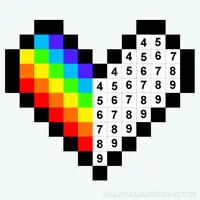
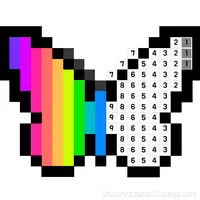
Recreate famous logos in the game 'Pixel Art Logo Coloring'. Compete with other players and give a fresh look to the logos by coloring them pixel by pixel. Showcase your creative expression and become a master of pixel art!
Pixel art Logo Coloring Overview
Join the exciting pixel adventure in the game 'Pixel Art Logo Coloring'. Color famous logos pixel by pixel and give them a fresh look. Use your creativity and coloring skills in this captivating game. Start a journey through diverse levels with various brand logos. Compete with other players to showcase your skills and secure a top spot in the leaderboard. Enjoy a simple and engaging gameplay that immerses you in the world of pixel art.
How to Get Better at Pixel art Logo Coloring
- Audio cues exist for a reason. Play with sound on at least once to learn what the game communicates through audio versus visuals.
- Test the edges of each mechanic. Move in directions the game does not suggest. Interact with things that look static. The boundaries tell you a lot about how the game works.
- If there are multiple modes or difficulty levels, start on default. It is tuned for first-time players and gives you the experience the developer intended.
- The first few levels are not throwaway. They calibrate your understanding of the game's physics and timing.
- When you hit a wall, look for a mechanic you are underusing. The game usually gives you the tools before the challenge that requires them.
- Short sessions add up. Playing for five minutes several times is often better for improvement than one long sitting.
Screenshots


Where to Play Pixel art Logo Coloring
Pixel art Logo Coloring works on any device with a browser and an internet connection. Supported platforms include Windows, macOS, Linux, ChromeOS, Android, and iOS. The game uses landscape (horizontal) orientation.
Gameplay
Casual games live or die by their first impression, and Pixel art Logo Coloring makes those opening seconds count. The core mechanic clicks fast, and the progression system gives you reasons to come back.
The visual language in Pixel art Logo Coloring communicates everything. You know what to tap, swipe, or click without reading instructions. That clarity is the hardest part of casual design to get right.
Pixel art Logo Coloring Features
- Family-friendly with a 0+ age rating.
- Competitive leaderboards built into the game.
- Plays in landscape mode for a wider view of the game.
- Automatic cloud saves that sync across devices.
Pixel art Logo Coloring Developer
Pixel art Logo Coloring is a SershDeveloper game, originally released in June 2023. It was built for web browsers and distributed as a free title. No download or account is needed to play.
Getting Started
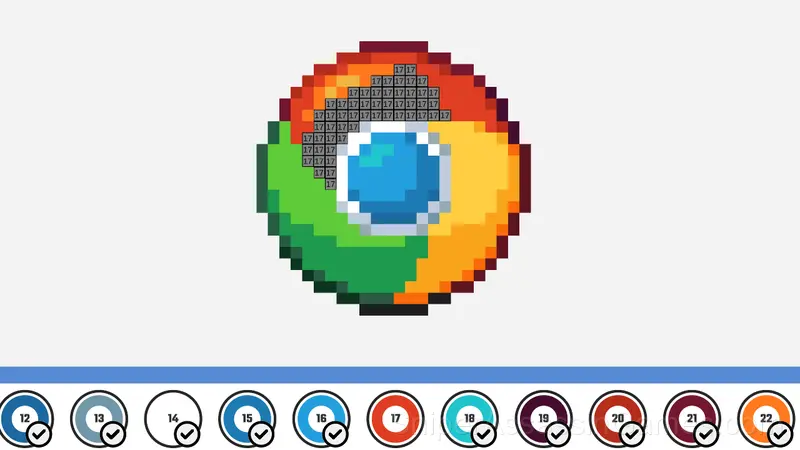
Select the colors at the bottom to draw on the cells with a number.
Click on the desired cell to paint.
Magnification of the image for the computer:
Use the mouse wheel or by clicking on + and - to zoom in or out of the canvas
Games Like Pixel art Logo Coloring
More free Casual Games for players who like Pixel art Logo Coloring. Each one has its own mechanics but fits the same genre:
- My Jelly Bear Pet
- Toca Life: Secret Crumpets
- Paint by Number
- Car Wash
- Draw the Logo from Memory ASMR Drawing
- Cute Pet: Cat Rescue
- Memorize and Draw the Logo from Memory ASMR
- Gold Rush Break & Merge
Start Playing Pixel art Logo Coloring
Try Pixel art Logo Coloring for free in your browser. It is rated 4.5 out of 5 by 997 players and requires no download or registration to play.