 SniperAssassinGames
























Squid Battle Simulator
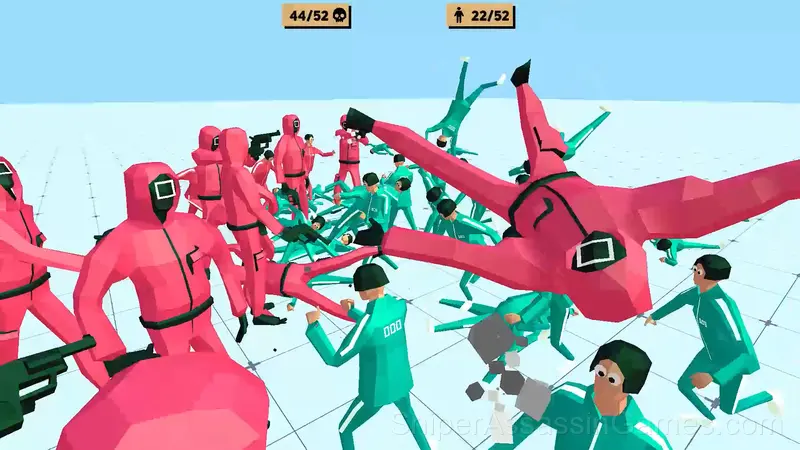
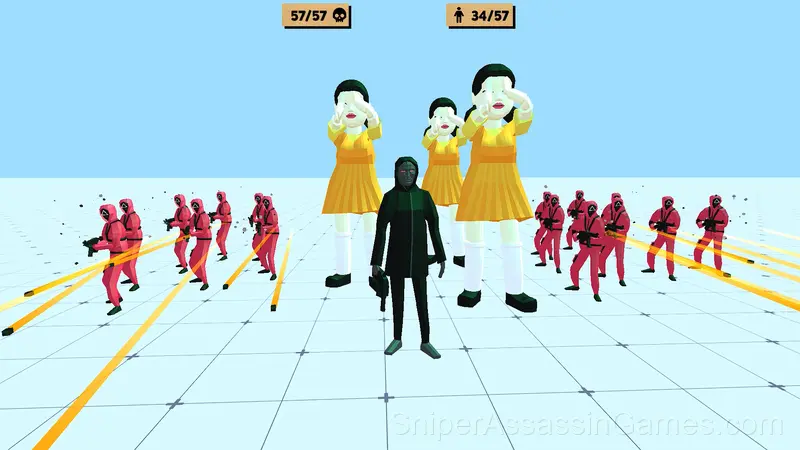
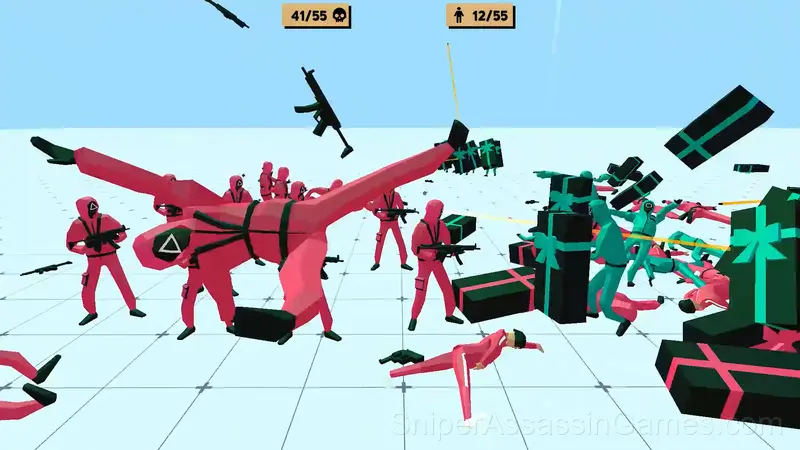
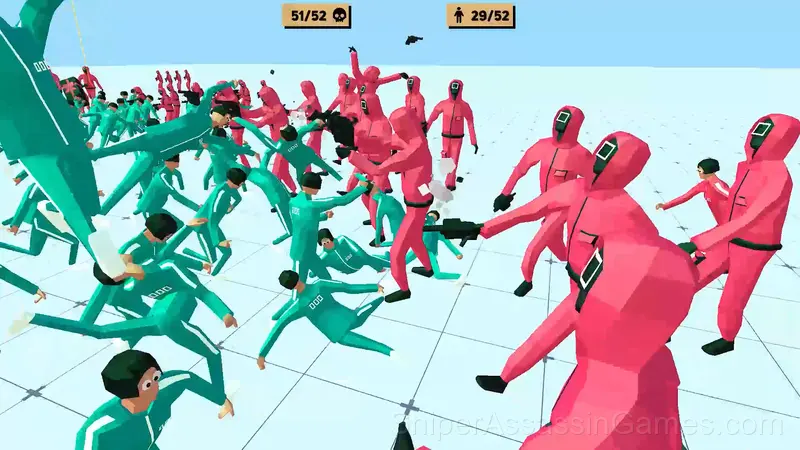
Control the squid army. Players and soldiers are under your command. Watch your army fight the enemy. Send a doll into the battle that watches enemies and kills those who move. Show your tactical skills.
Introduction to Squid Battle Simulator
Control a huge Squid army. Take command over players and soldiers. Send captains, managers, and workers with coffins into battle. Observe how your arrows are firing at the enemy. Control a doll that watches enemies and kills those who move. Crush all enemies. Show your tactical skills. Prove that you are the best general in the world!
Peculiarities:
- large-scale and spectacular battles
- unique and funny units
- ragdoll physics of computing
- beautiful graphics
Playing Squid Battle Simulator: What to Know
Hitboxes in Squid Battle Simulator are fair. When you take damage, you can see exactly why. When you dodge, you know the margin. That precision is what separates frustrating action games from satisfying ones.
Power progression in Squid Battle Simulator feels tangible. New abilities do not just add damage numbers. They change how encounters play out, giving you options you did not have before.
Device Compatibility
Browser-based and download-free, Squid Battle Simulator is accessible on Windows, macOS, Linux, ChromeOS, Android, and iOS through Chrome, Firefox, Edge, or Safari. It uses landscape (horizontal) orientation.
How to Play
WASD + Right mouse button (hold down) - standard movement
WASD - alternate movement
Shift - speed up the movement
Q / E - rotate the camera
Left mouse button - create a unit
Right Mouse Button + CTRL - delete unit
Screenshots
Tips for Players
- Learn the attack patterns before engaging. Most enemies telegraph their moves. Recognizing those tells gives you reaction time you would not otherwise have.
- If the game offers cosmetic rewards, ignore them until you are comfortable with the core mechanics. Progression systems can distract from actual skill development.
- Play a few complete rounds before looking up guides. Your own observations about the game's systems are more useful than generic advice written for someone else.
- Try the opposite of what keeps failing. If you are playing aggressively and dying, play defensively. If you are playing cautiously and timing out, push forward. The answer is often the reverse of your instinct.
- Do not restart immediately after a mistake. Play through and see how the game handles recovery. Sometimes there is a comeback mechanic you would miss by quitting early.
- Not every fight is worth fighting. Action games often reward knowing when to engage and when to move through.
- Learn the invincibility frames on your dodge or roll. Knowing exactly when you are immune to damage changes how aggressively you can play.
- Steady, clean play usually beats aggressive, risky play. Consistency compounds over time, and avoiding mistakes matters more than chasing big moments.
Who Made Squid Battle Simulator?
GoGoMan developed Squid Battle Simulator for web browsers, originally released in December 2021. The game runs on desktop and mobile devices without needing a download. GoGoMan distributes it as a free-to-play title.
What Squid Battle Simulator Offers
- Landscape orientation, optimized for wider screens on desktop and tablet.
- Optional in-game purchases available. The core game is free.
- Cloud saves. Your progress carries across devices and sessions.
Games Like Squid Battle Simulator
The following Shooting Games share common ground with Squid Battle Simulator and are all playable for free in your browser:
- Funny Battle Simulator 2
- The Boys Word
- World War Two Tanks
- FPV Kamikaze drone simulator
- Bodycam Shooter
- Simulator War
- Drone Simulator : Ancient Russ
- Boys Word: The Battle for the District
Start Playing Squid Battle Simulator
If you want a free shooting game you can play right now, Squid Battle Simulator is a solid option. 9.8K players and a 4.4 rating back that up. Opens in your browser, no download.